
From CMS to a ready-to-review video
We have released a new Flipatic API endpoint that enables publishers to automate the entire video creation process.
The idea came directly from clients who have used Flipatic long enough to understand how much manual editing their videos require. In some newsrooms, the answer is now: very little.
The quality of scripts, visuals, voice-over, subtitles and final composition consistently meets expectations, enabling a workflow where an editor clicks a CMS button and receives a notification minutes later that the video is ready.
Editorial review remains part of the process, but happens once the finished video is available, without requiring editors to go through every production stage.
A ready-to-review video depends on many Flipatic mechanisms working together. When publishers feel confident enough to automate creation, it confirms the system delivers the quality required for everyday newsroom production.
Icons and emojis as visual layers
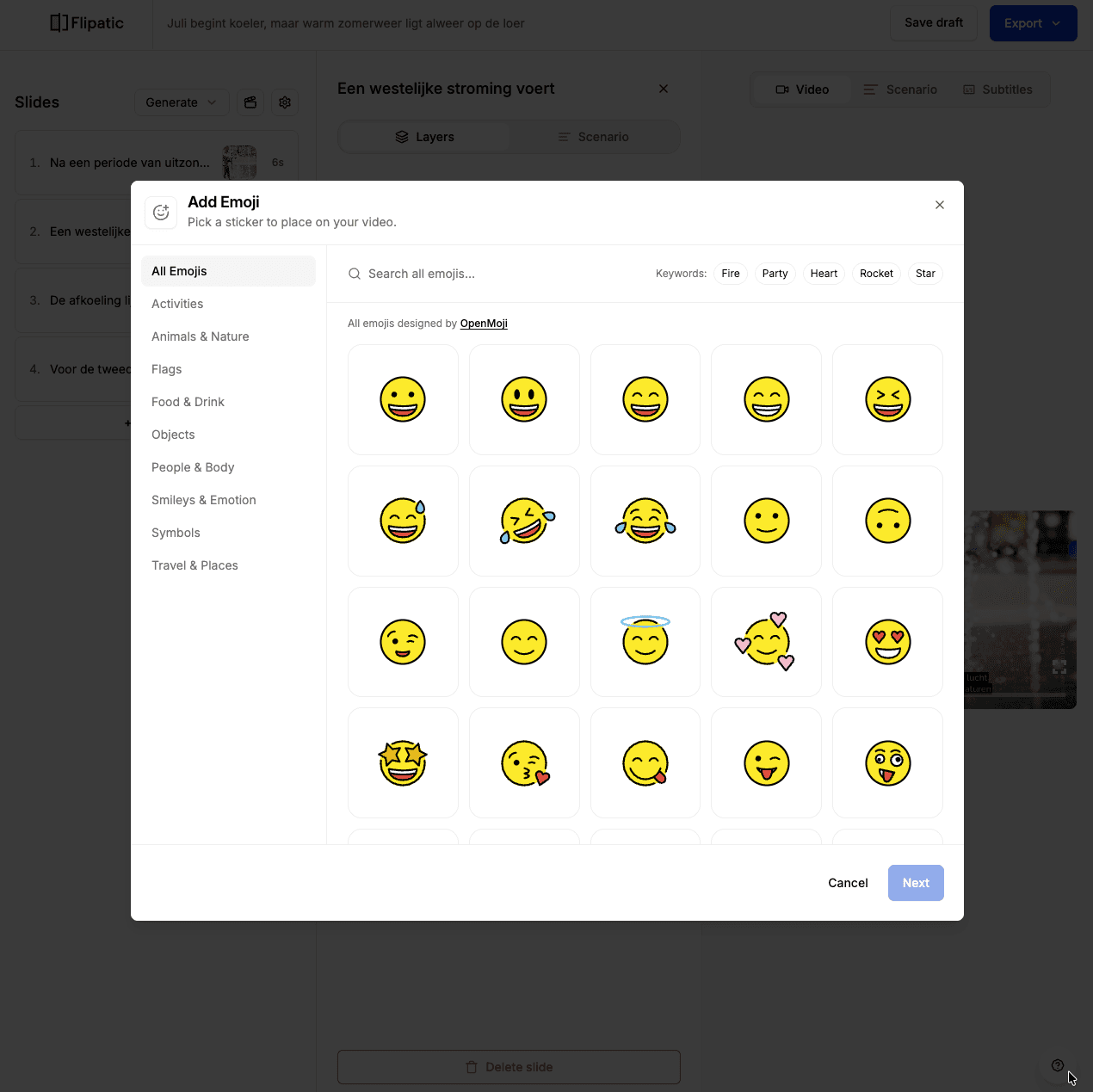
Until now, users could add text layers over photos and video clips. These layers were useful for highlighting information such as a number, date or short phrase.
The same mechanism now supports icons and emojis.
Flipatic includes a library of several hundred visual elements that can be placed freely within a scene. Users can adjust their position, appearance and animation.
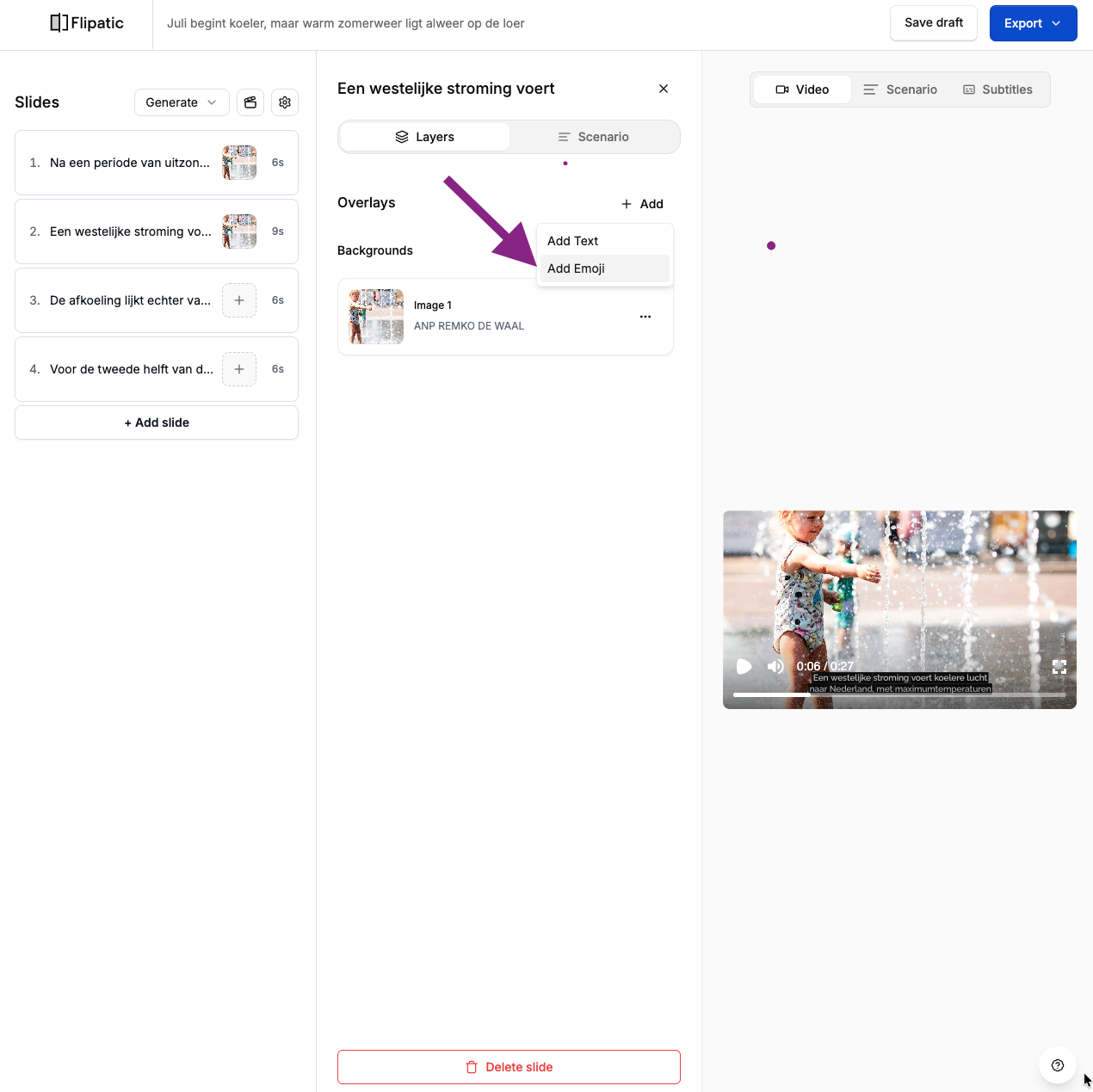
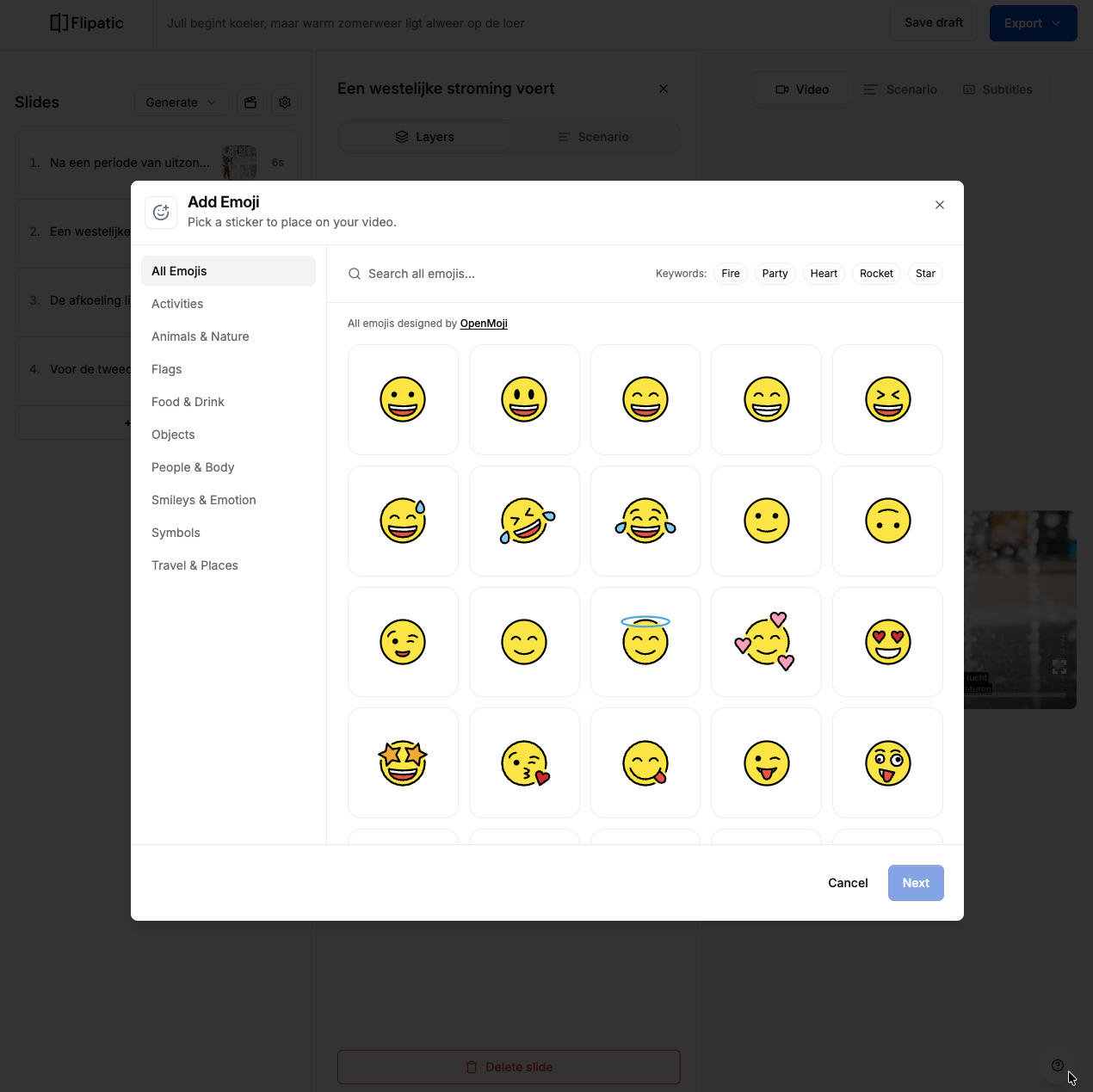
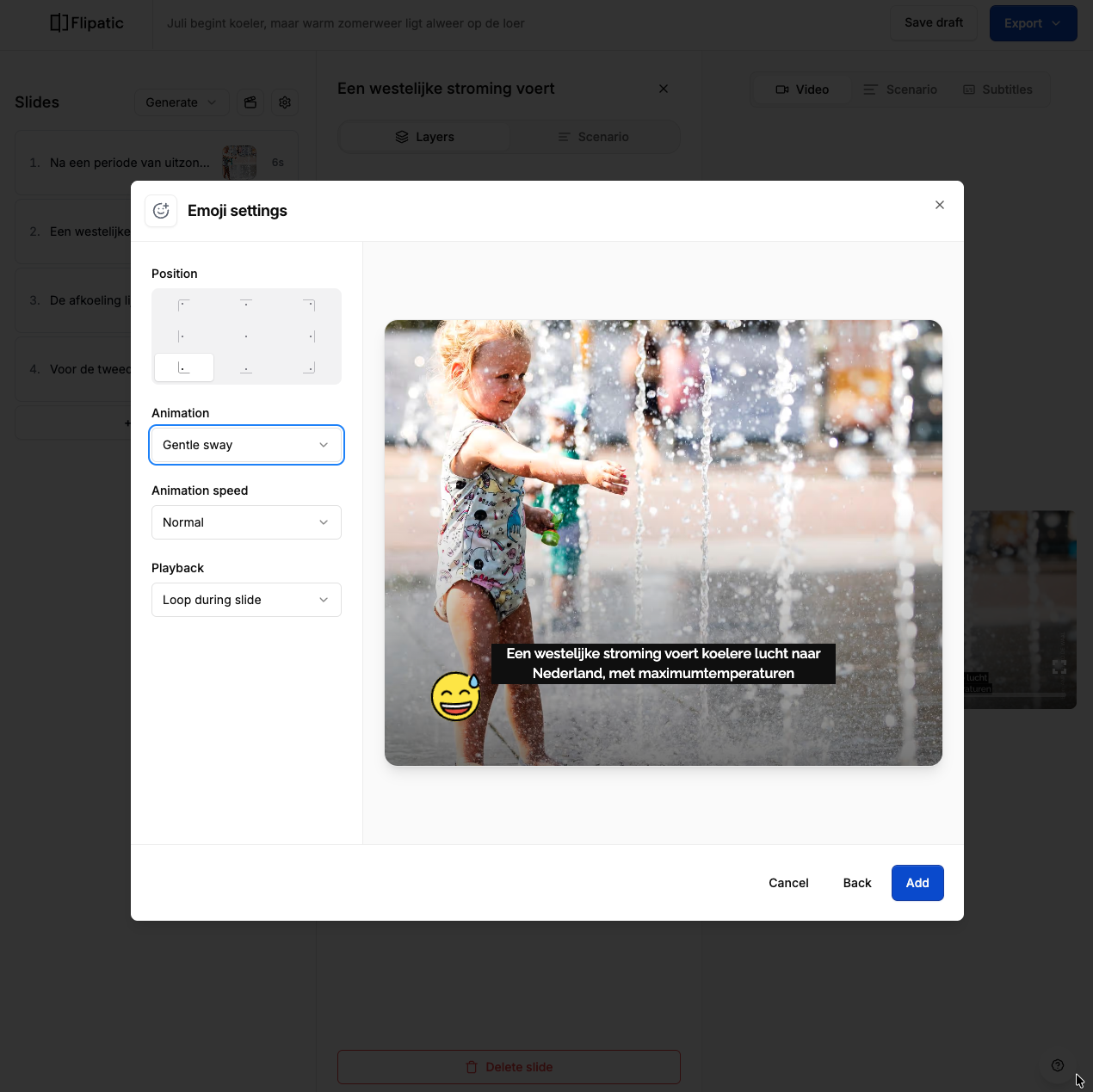
This gives publishers more creative freedom, especially when producing entertainment content or videos that call for a lighter and more informal visual style.
Animations for titles and subtitles
We have also added configurable animations for titles and subtitles.
Previously, most publisher templates used static text, while selected templates included predefined animation effects. Users can now choose an animation for the title and subtitles independently within an individual video.
The available styles make it easier to adjust the pace and character of the video while keeping the publisher’s core template and visual identity intact.
A new interface for pronunciation and pauses
Flipatic already allowed users to correct the pronunciation of words that were not handled satisfactorily by the selected voice. The phonetic pronunciation could be entered manually in square brackets within the script.
We have now replaced this syntax-based workflow with a dedicated interface.
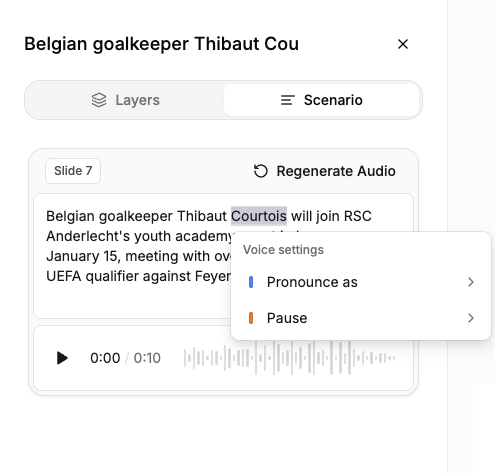
Users can select a word in the script and:
- provide its preferred pronunciation,
- add a short or long pause before it,
- add a short or long pause after it.
This makes voice adjustments faster and much easier to discover. The new interface has also been designed to support more voice controls in future updates. There is a separate post explaining how to use this feature, with step-by-step instructions and tips. Read more.
Better subtitle distribution
We have updated the algorithm responsible for distributing spoken text across subtitle screens.
One of the recurring issues was an uneven division of subtitles, occasionally leaving a single word on a separate screen. The new version aims to create more balanced segments and improve the natural rhythm of the captions.
We will now review the results together with users and continue tuning the algorithm based on real production material.
Easier access to support and feedback
The final improvement is a small addition that should make everyday communication with our team more convenient.
A new support icon is now available in the bottom-right corner of the Flipatic application. It guides users through the process of reporting an issue or leaving feedback through our helpdesk.
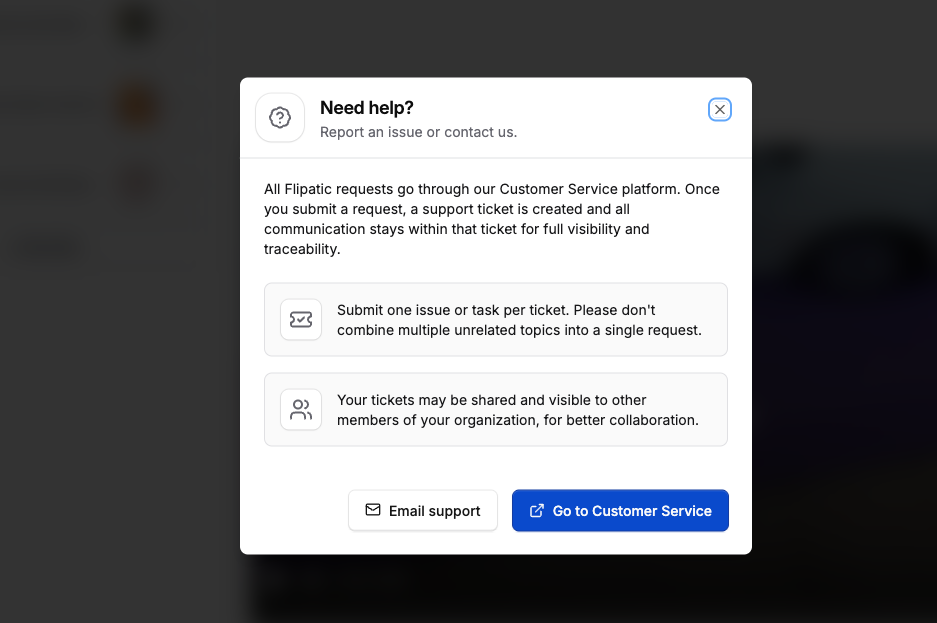
This gives incoming reports a clearer structure, helps us handle them more efficiently and allows the team to respond faster.