

We’ve recently introduced several updates in Flipatic that give publishers more control over how videos look and behave in different editorial environments.
One of them is a new layout option that helps adapt selected on-screen elements - such as AI info text, Source or Sponsored labels - to the requirements of a specific player. When a publisher uses unusual dimensions or interface elements that cover part of the video, Flipatic can now adjust the placement of these elements accordingly.
We also expanded the list of CMS settings that can be defined as defaults for individual titles. These now include options such as hiding the title, muting voice, showing full-slide subtitles and enabling animations. This makes it easier to align video output with a publisher’s preferred format without repeating the same manual setup.
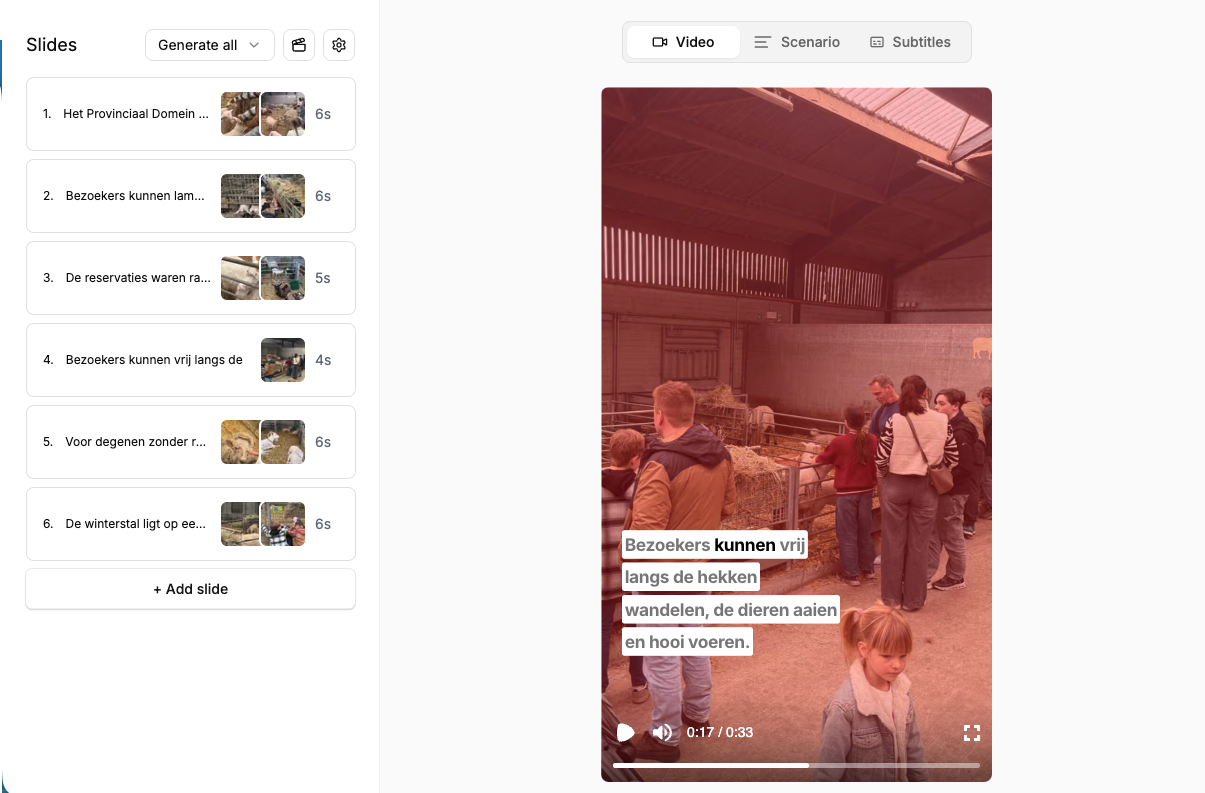
Another new feature is Color Overlay - a transparent color layer that can be placed over the video to visually harmonize images coming from different sources and give the final output a more consistent look.
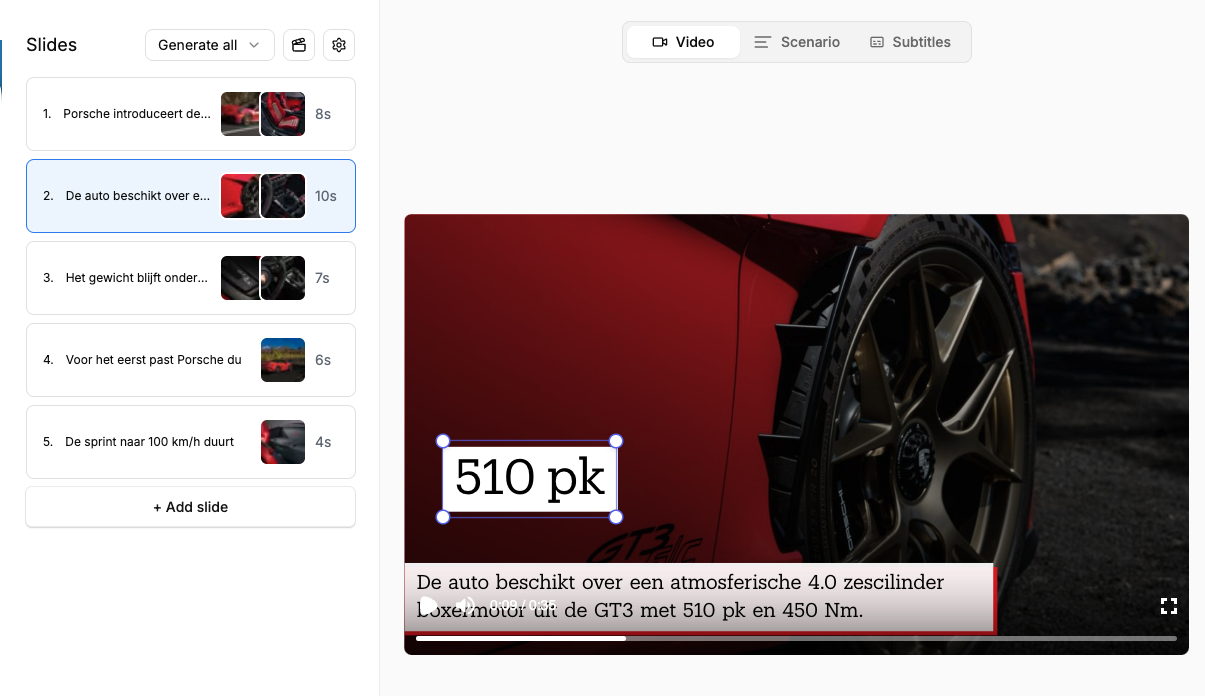
We’ve also made text overlays easier to adjust. Their size and position can now be changed directly on the preview with drag and drop, making the editing process faster and more intuitive.
And finally, we added a new video type: Crime Story. It is designed for crime-related articles and other high-tension stories that carry a stronger emotional and narrative arc. This mode helps build scripts in a way that better reflects the tone, suspense and character of the original piece.
These updates are all part of the same direction: making Flipatic more adaptable to different publishers, formats and storytelling needs.
Main image by cottonbro studio