
Producing a video in another language no longer means starting again. This Flipatic update introduces fast video translation, deeper production and content insights, a public status page, and a new integration with Shutterstock.
Turn one video into many language versions
Once a video is ready, you can now create a version in another language with just a few clicks.
Flipatic makes a copy of the original video and translates its title and script. All the work already done by the first editor stays in place, including photos, video clips, overlays and the overall visual setup. Flipatic then adds a new voice-over and subtitles in the selected language.
The new version can be ready in under a minute.
This is especially useful for publishers working across several countries or language editions. One newsroom can prepare the original video, while other teams quickly adapt it for their own audiences without rebuilding it from scratch.
A clearer view of video production
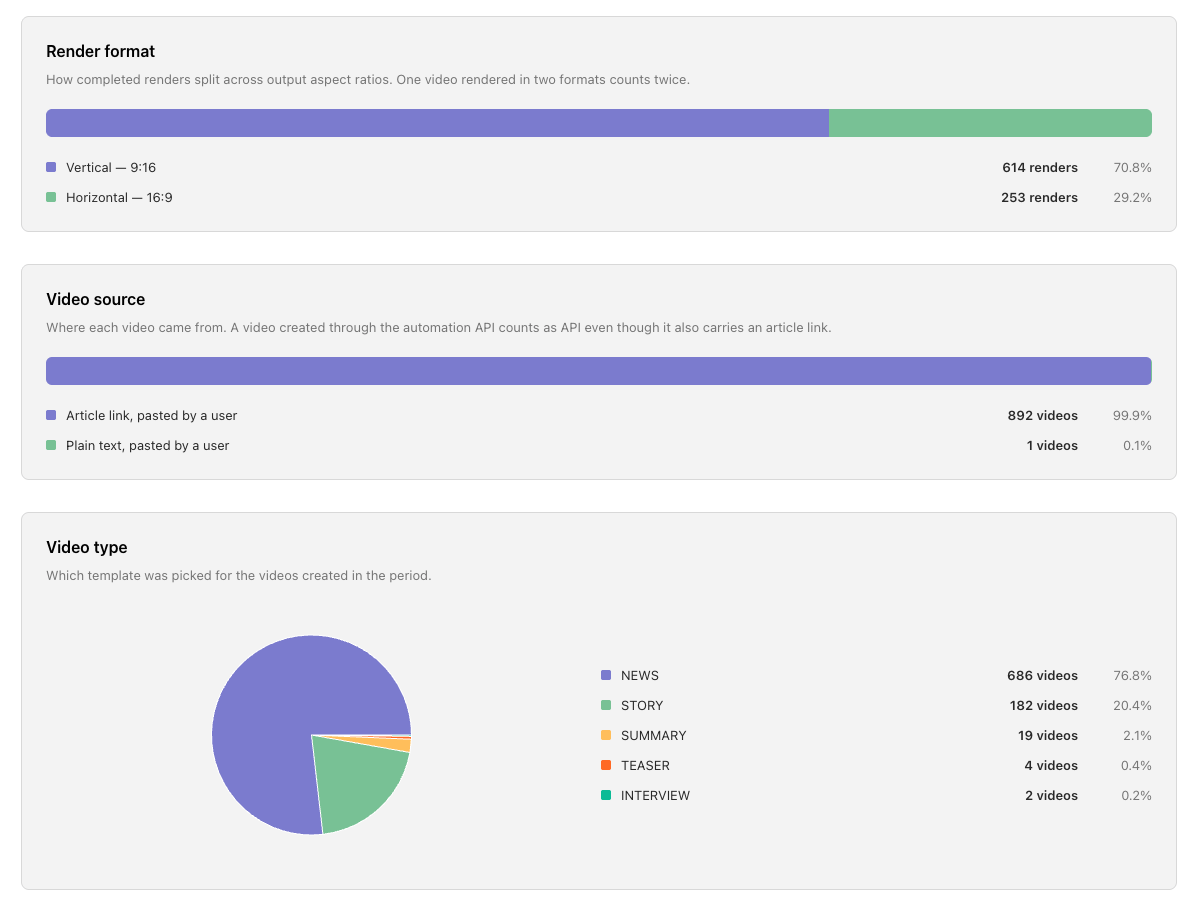
Publisher admins now have access to an advanced statistics panel. It provides an overview of video production across the publisher’s titles and makes it possible to filter the data by period, website, user, video type and production status.
The panel shows not only how many videos and rendered minutes were produced, but also how teams use Flipatic in practice. Admins can compare activity across titles, see which formats are used most often, check the balance between vertical and horizontal renders, follow average video length and production time, and understand which types of visual materials appear in videos.
They can also see the most active creators. This makes it easier to spot where Flipatic has become part of the daily workflow and where a team may need more support or inspiration.
See what your newsroom talks about
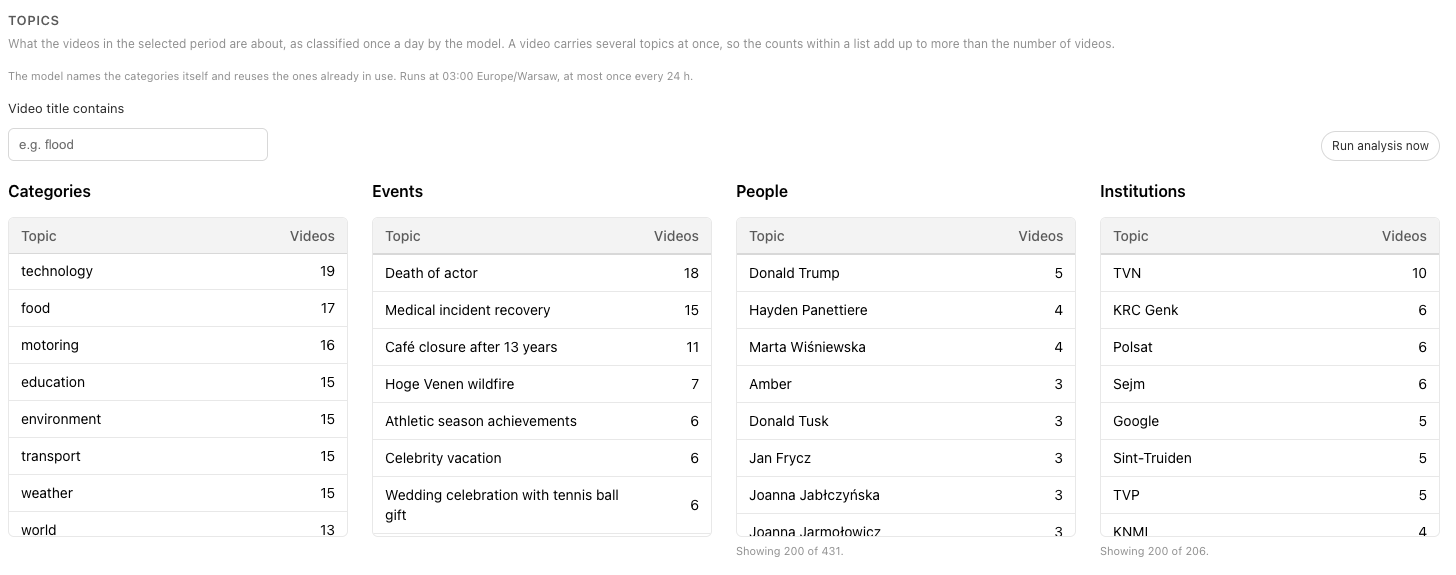
The same publisher admin account now includes content analysis. It identifies the topics, people, events and institutions that appear most often in videos created during the selected period.
This adds a new layer to the production data. Publishers can see not only how much video they create, but also what their video coverage is actually about.
Over time, this can help teams recognize recurring themes, compare the focus of different titles and better understand how editorial priorities are reflected in video output.
Check Flipatic’s status at any time
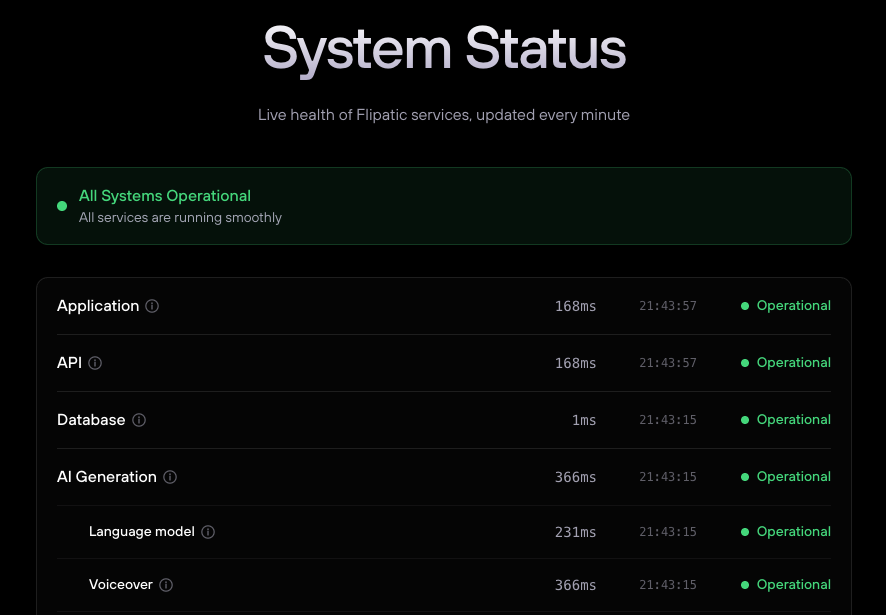
We have also launched a public status page at flipatic.com/status.
It gives users one place to check the current availability of Flipatic and its services. If something is not working as expected, the page provides a quick way to see whether the issue has already been identified.
Shutterstock is now available in Flipatic
Publishers can now connect their own Shutterstock license and use the library directly while creating videos in Flipatic.
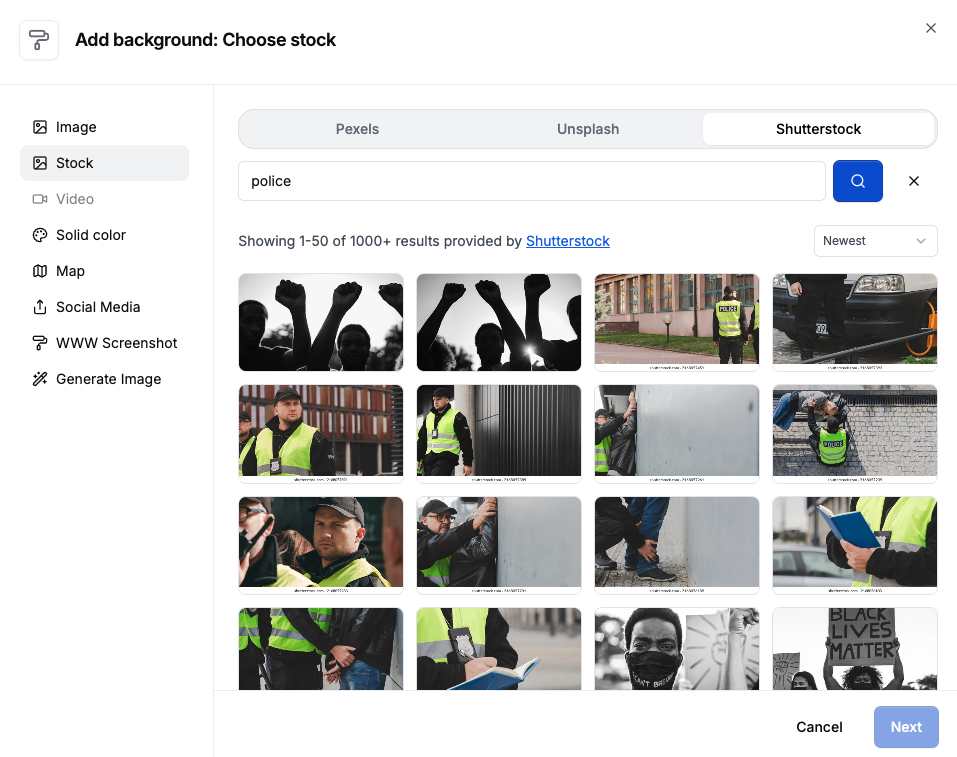
This adds another source of high-quality visual material without changing existing licensing arrangements. Editors get more choice when selecting backgrounds, while publishers continue to use the Shutterstock access they already manage.
Enjoy!