
In this latest update, we’ve focused on improvements that editorial teams will notice right away: greater control over video length, faster script generation, new animation effects, and more flexible permission management.
All designed to make the video creation process faster, smoother, and more adaptable to newsroom workflows.
Setting video length and redesigning creation screen
This is the most significant new feature in this release.
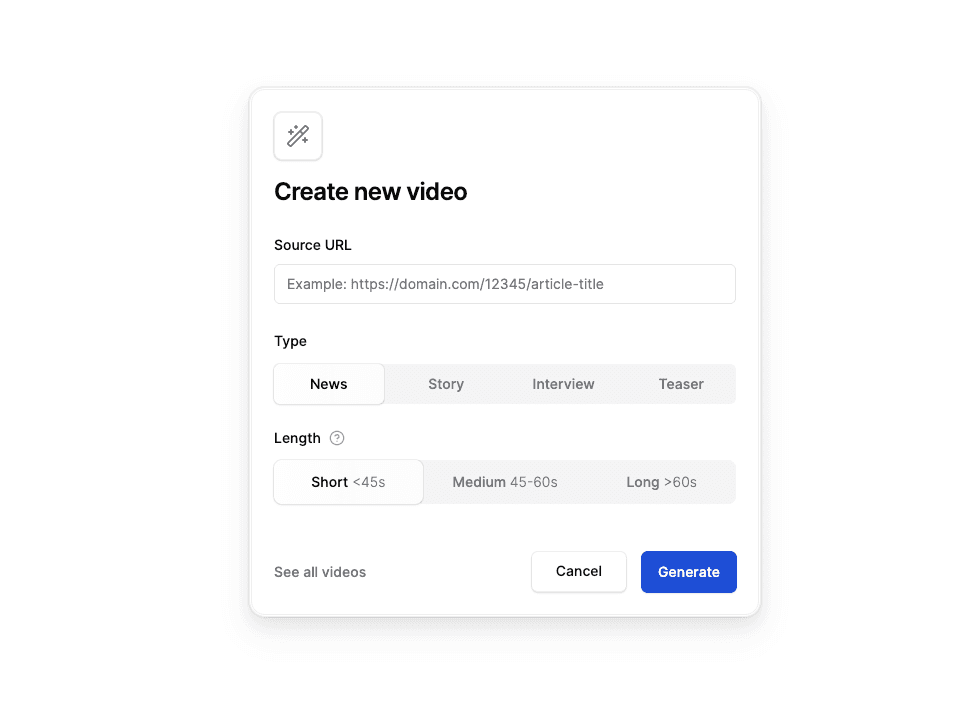
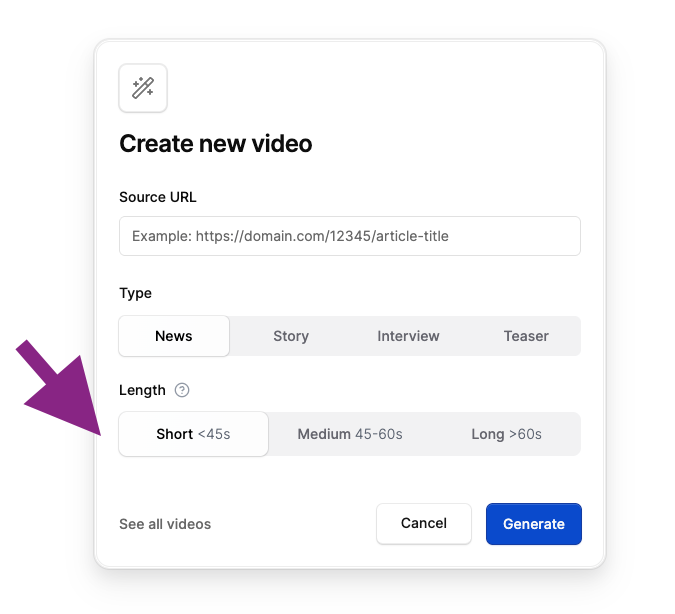
From now on, journalists can decide how long their video should be before Flipatic starts generating the script. Three duration ranges are available:
- short – up to 45 seconds,
- medium – 45–60 seconds,
- long – over 60 seconds.
Based on this selection, Flipatic prepares a script designed to match the chosen duration.
The final length almost always stays within the declared range – regardless of the language, and voice-over.
This gives editorial teams better predictability and consistency across all published videos.
Alongside this change, we’ve redesigned the “Create” screen to make the process of selecting a duration and starting a new project more intuitive and streamlined.
Faster script generation with prompt chaining
We’ve optimized the first step of the workflow – script generation.
By introducing prompt chaining and assigning specific tasks to models best suited for each step, we’ve reduced this phase from 60–90 seconds down to 30–45 seconds.
This means operators can start working on their videos much faster, and the finished piece reaches audiences sooner.
While only the initial step was shortened, it noticeably speeds up the entire production flow.
Permissions for AI-generated animations
Some newsrooms have internal policies regarding the use of AI-generated visuals or animations.
That’s why we’ve added a new permission management feature – newsroom coordinators can now decide which users are allowed to create animations or generate images with AI, and which are not.
This makes Flipatic more adaptable to each organization’s editorial policies.
By default, the generative features are disabled.
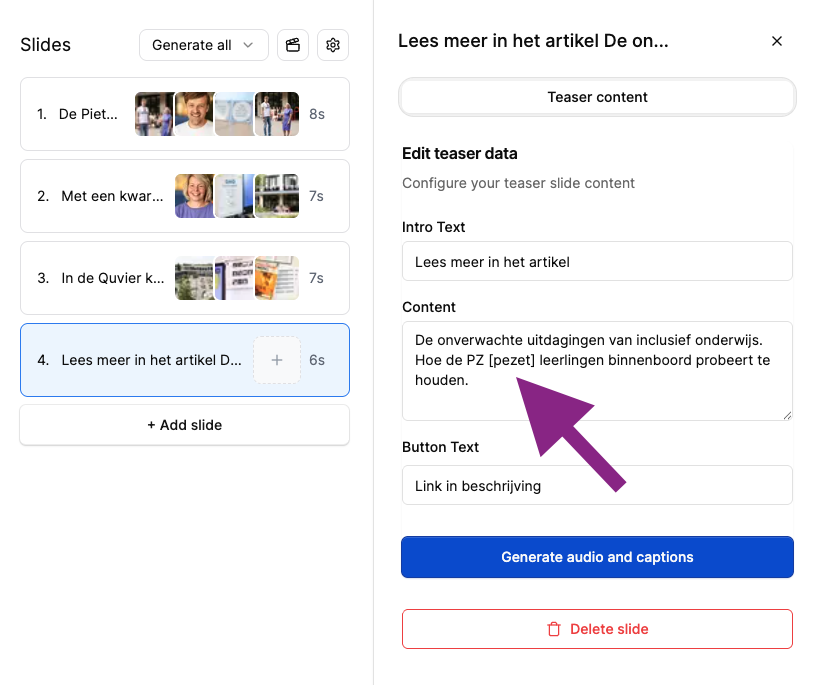
Improved pronunciation support in teasers
We fixed an issue that previously prevented adjusting pronunciations in the final slide of teaser-type videos.
It’s now possible to guide the voice-over model toward correct pronunciation of challenging words – just like in other video types.
New background and transition animations
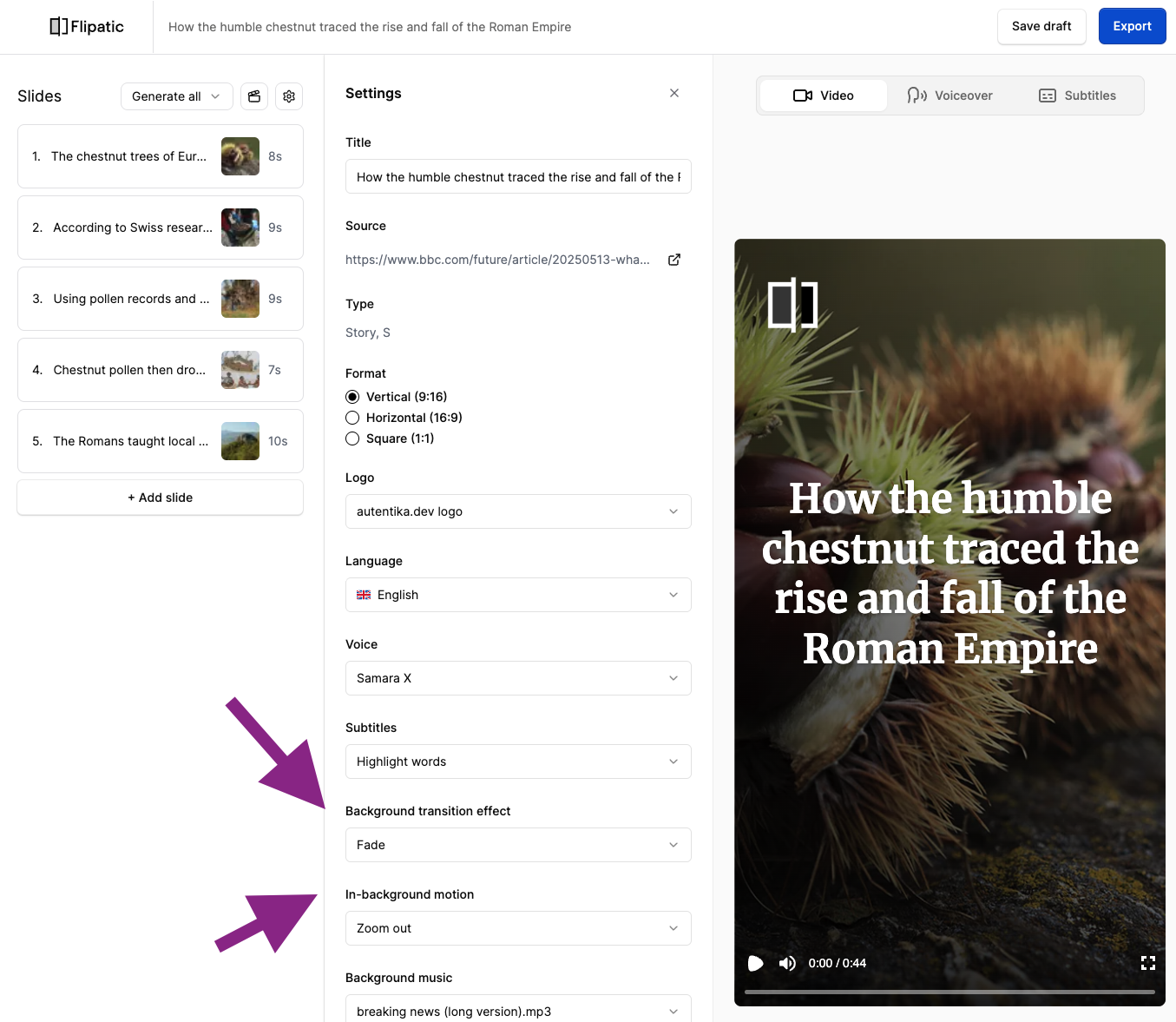
A major visual upgrade: Flipatic videos now include two kinds of animations.
In-background motion
Slide backgrounds can now animate in various ways —
zoom in / zoom out, panning left, right, up, or down, depth effects (3D tilt), and more.
Transitions between slides
Transitions can now use fade, slidee, and several additional effects.
Each animation – both for backgrounds and transitions – can also be set to random, allowing Flipatic to choose different effects throughout the video automatically.
This creates a more dynamic and natural visual flow, without any manual setup.
Navigation and safety improvements
We’ve made a series of subtle but important changes to navigation between video lists, slides, and the player.
Everything is now smoother, faster, and more precise – it’s hard to describe in detail, but the difference is immediately noticeable.
Early feedback from users has been very positive.
We also added the exact creation time (hour and minute) to the render history (previously, only the date was shown).
Finally, several safety notices now remind users to follow editorial guidelines when working with AI-generated or animated visuals and embedded social content.
This update marks another step toward greater control, speed, and flexibility in newsroom video production.
Flipatic continues to evolve into a platform that helps teams create and distribute stories faster – and exactly the way they want them.